Skip to content
Reanimator — keyframe-driven video editing

Keyframe-driven video control

Direct the motion.Not just the prompt.

Mark the frames that matter, draw the exact correction and generate a shot with poses anchored to your timeline.

Input
Video + keyframes
Control
Frame annotations
Output
Directed motion

01 / The problem

A prompt describes a shot.A timeline directs it.

Prompt-only generation leaves timing to chance. Reanimator gives you a visual language for the moments where the movement must land.

Draw on the frame, anchor the pose and decide when it happens before spending another generation.

BrushMotion pathsText directionPose anchorsTimeline retiming

02 / Workflow

From rough intent to directed motion.

Five decisions. One continuous creative loop. Every change stays visible on the frame and in time.

  1. 01

    Import the shot

    Start from the footage that needs direction.

  2. 02

    Anchor the pose

    Choose the frames the model cannot ignore.

  3. 03

    Draw the correction

    Mark motion, position and intent on the image.

  4. 04

    Retime the beat

    Move keyframes until the performance lands.

  5. 05

    Generate and compare

    Review the result without losing your decisions.

03 / On the frame

Make the correction visible.

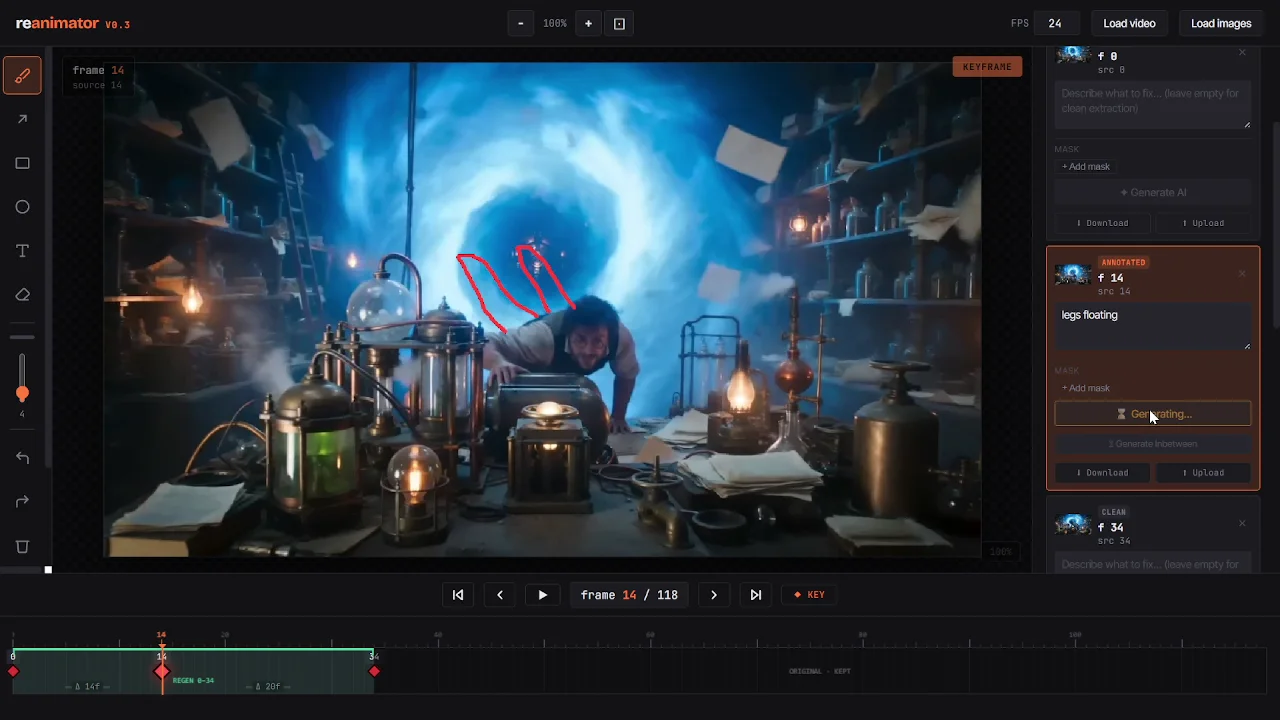
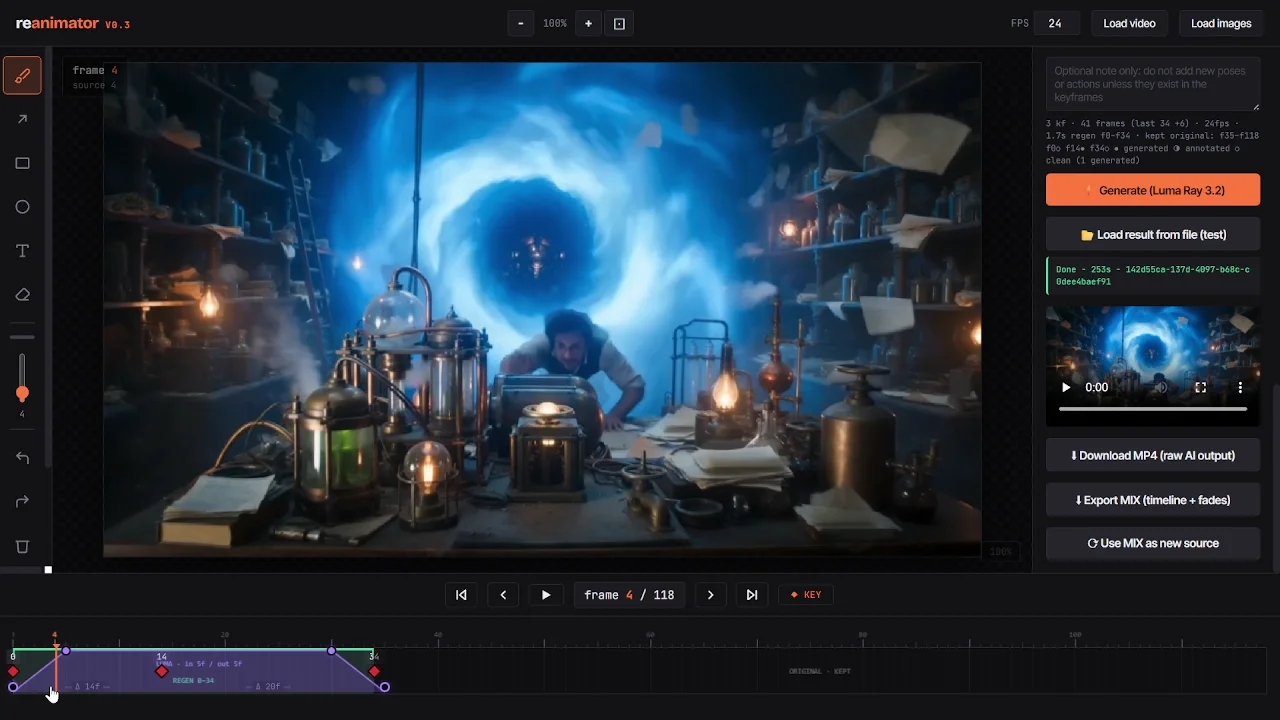
Reanimator keeps direction attached to the image. A motion path is clearer than another paragraph of prompting—and easier to retime.

Reanimator editor showing a drawn motion correction and timeline keyframes
Annotation passFrame 014
Reanimator editor showing a generated result aligned to the timeline
Generated resultPose anchored

04 / One system

The frame and the timeline speak together.

01

Spatial intent

Draw the position, direction or area that needs correction.
02

Temporal intent

Place and retime anchor frames until the action hits its beat.

03

Generation context

Send the model a shot with visible constraints, not a blind guess.

05 / Questions

What people ask first.

What is Reanimator?
Reanimator is an AI video tool that lets you direct generated video with keyframes. You mark the frames that matter, draw corrections on them and retime them on a timeline, then generate a shot that follows those anchors.
How is it different from prompt-only AI video generators?
A prompt describes a shot but leaves timing and poses to chance. Reanimator adds a visual layer: pose anchors, motion paths and on-frame notes placed at exact moments in time, so the model gets visible constraints instead of a paragraph of text.
Which AI video models does it use?
Reanimator works with leading video models, including Seedance 2.0, Kling 3.0 Pro, MiniMax H3, Wan 3.0 and Luma Ray. You pick the engine per generation.
Do I need a source video?
No. You can start from a video clip, from a set of images or from a blank project, and animate from your first keyframe to your last.
Do I need a powerful computer?
No. Reanimator runs in the browser and generation happens in the cloud.
Is Reanimator free?
There is a free beta plan with 60 credits a month. Paid plans add more credits and projects; see the pricing page for details.

Reanimator beta

Your next shot needs direction.

Build the keyframes, mark the movement and keep control of the performance.

Create an account