Mark a key
Pick the frame where the change must happen and set it as a key on the timeline.
AI video editor / Keys / Masks
Edit video opens any shot in the Reanimator editor. Mark a key, sketch on the frame, lasso the area the AI may touch, and the shot comes back as a new version with everything else untouched.
Free browser tools in every plan · AI on credits
01 / How it works
Tell the model where and when, not just what. Drawings and masks are constraints it can see.
Pick the frame where the change must happen and set it as a key on the timeline.
Sketch the change, write what it is and lasso the area the AI is allowed to touch.
The shot is rebuilt through your keys and lands as its next version, ready to compare.
02 / Features
Mark a frame, sketch on it and the AI redraws it exactly where you pointed.
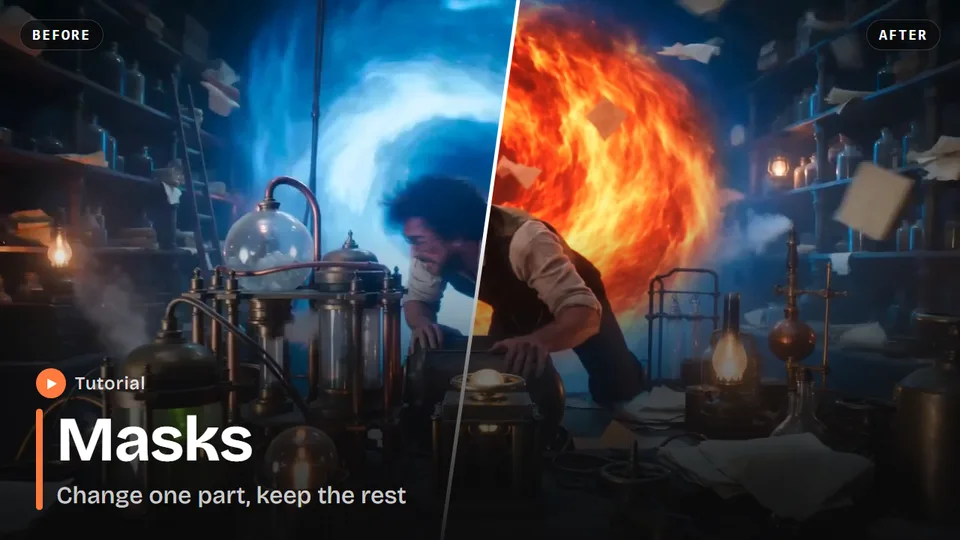
Lasso a region so the AI changes that part and leaves the rest untouched.
Keep the camera, motion and timing. Change the look, the place or the character.
Add seconds before or after a shot, or split it open and let the AI create the beat that joins both sides.
Click an object and it disappears from the whole shot, background filled in.
Remove the background to transparency with AI, or key a green screen for free in the browser.
03 / Not everything needs AI
Retime, cuts, colour grading, green screen and MP4 export run in your browser and never touch your credits.
Every edit becomes a new version of the shot, so you can compare it with the original and go back whenever you want.
04 / Questions
Redraw a single frame, change one area with a mask, restyle the whole shot while keeping its camera and motion, extend it, split it open to insert a new moment, erase an object or cut out the subject.
Lasso the region on a key. The AI only changes what is inside the mask and the rest of the frame stays exactly as it was.
A key is a frame you mark on the timeline. You draw or write on it what should change, and the video is generated to pass through your keys at their exact moment.
Editing tools that run in your browser are free: retime, cuts, colour grading, green screen and the 3D depth preview. AI generation uses credits, and the price is on the button before you press it.
No. Edit video runs in the browser and your shots are saved in the cloud with every version.
05 / The rest of the studio