Bring your shots together
Send the cut or single shots to a review, with the context of the sequence.
Animation review / Versions / Live sessions
Review animation with your team, draw directly on the shot and keep every round as its own version. Built for animators, storyboard artists and the directors and clients who work with them.
Review is in every plan, Free too: 1 editor and up to 5 viewers. Paid plans add editors and unlimited viewers.
01 / How it works
From an early blocking pass to the final notes, put feedback where the work happens.
Send the cut or single shots to a review, with the context of the sequence.
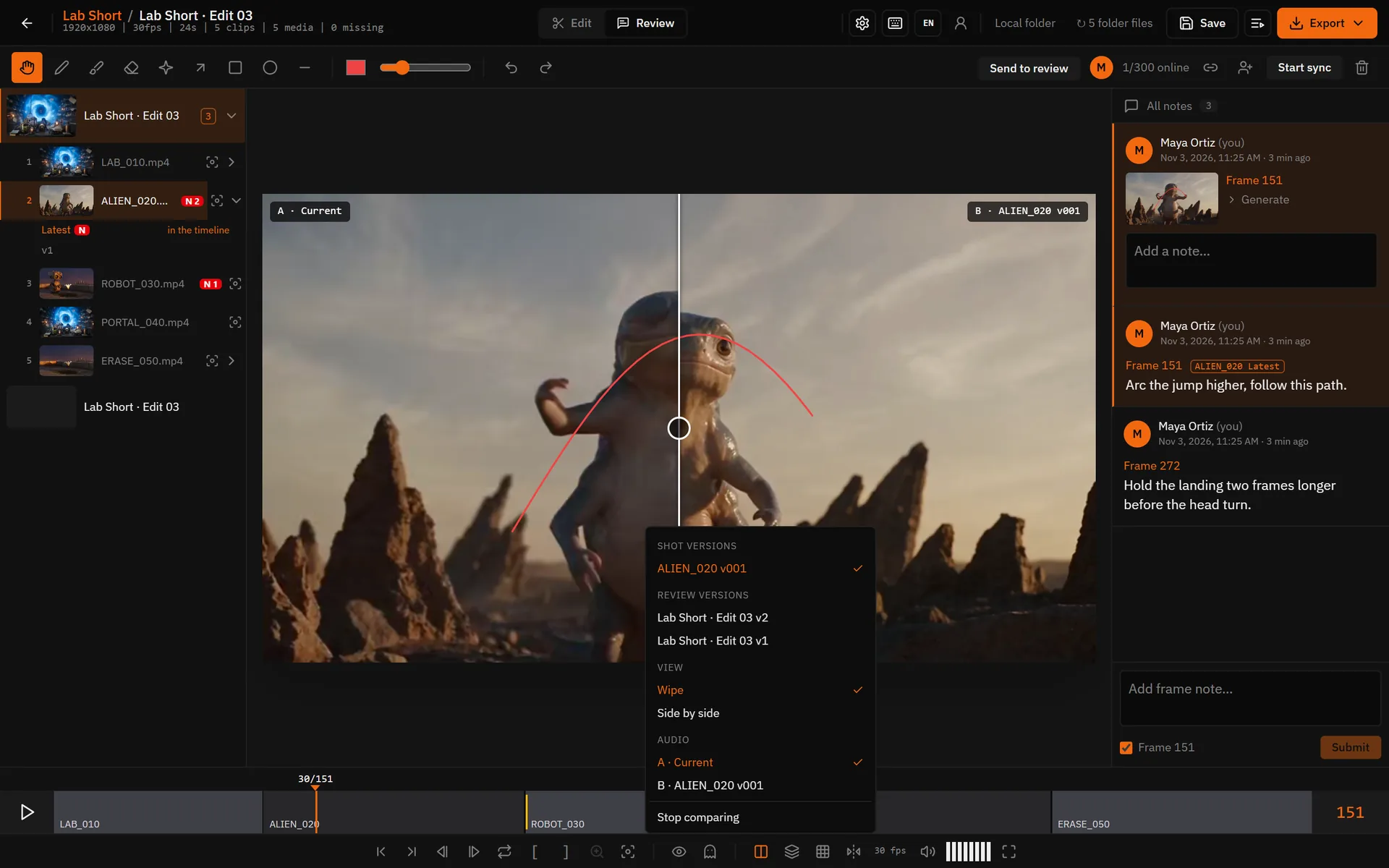
Scrub or play at 60 fps, together in a live session or on your own.
Draw on the frame or write a note, so the artist sees exactly what needs attention.
02 / Features
Write and draw on the exact frame, each note signed with its author and date.
Each send is kept as v1, v2… so feedback always points at what people saw.
Wipe or side by side, in sync to the frame, between versions of a shot or of the review.
Review together: notes and drawings show up for everyone as they are made.
Invite clients and outside reviewers with a link to one review, not the whole project.
Shots with notes carry a red N, and a white veil over the video keeps drawings readable.
03 / More than a review link
Review lives next to the cloud timeline where the film is cut. A note on a shot leads straight to the shot, and the fix comes back as a new version.
When a fix calls for AI, the same project has keyframe-driven video tools, and Claude can read and answer review notes through the Reanimator MCP. Generating uses credits; reviewing never does.
Choosing a review tool
Reanimator focuses on reviewing video shots alongside a timeline, with optional AI-assisted editing in the same product.
Plans, storage and team limits differ. Compare the current details before choosing the right fit for your workflow.
04 / Questions
Yes. Notes and drawings sit on the exact frame, each signed with its author and date, including during a live session.
Yes. In a live session everyone's notes and drawings appear for the others as they are made. How many people can join depends on the plan; see the pricing page for details.
Yes. Send a guest link: the guest sees that review only, not the rest of the project. Guests need no account: the link asks for their name and a password, expires after the days you choose, and you can revoke it at any time.
Yes. Compare with a wipe or side by side, in sync to the frame, between versions of a shot or rounds of the review.
Yes. Review is included in every plan, the free one too: Free comes with 1 editor and up to 5 viewers, and paid plans add editors and unlimited viewers.
No. Reviewing and leaving feedback never uses credits. Only AI generation does.
05 / The rest of the studio